 zentex ~/
2026-08-02
Real Chromium pixels in your terminal
Terminal browsers usually cheat. They parse HTML, throw away the layout, and print what survives. That works for reading a man page online and falls apart the moment a page depends on its real rendering, which in 2026 is nearly every page.
The cheat
Lynx, w3m, and the modern copies of that idea are text-mode browsers. They download the document, keep the strings, and invent a layout that fits a grid of cells. Images become `[IMG]`. CSS becomes a suggestion. JavaScript becomes a problem you ignore. For a page that is a document, this is fine. For a page that is an application, it is a different product pretending to be a browser.
I kept reaching for those tools anyway. My work lives in a terminal. The editor is there, the git graph is there, the agent loop is there. Opening Chrome to check a preview, a dashboard, or a docs page meant leaving the place I was already thinking. A hundred times a day is not a workflow. It is a tax.
So I looked at what a terminal can actually display now. Ghostty speaks the Kitty graphics protocol. That protocol is not a screenshot pasted into the scrollback. It is a way to put pixels in the same grid as your text, then keep using the terminal as a terminal. Splits, keybindings, and scrollback still belong to Ghostty. The page is just another kind of cell content.
Real pixels
terminal-fenster takes the other road. Chromium renders the page offscreen, for real. A Rust core converts each frame into terminal graphics and writes it through Kitty. The engine is Electron with the sandbox on. There is no Node in the page, no context leak, no DevTools port hanging off localhost. The control socket is mode 0600 inside a directory that is 0700. Nothing in this stack is a toy HTML parser with extra steps.
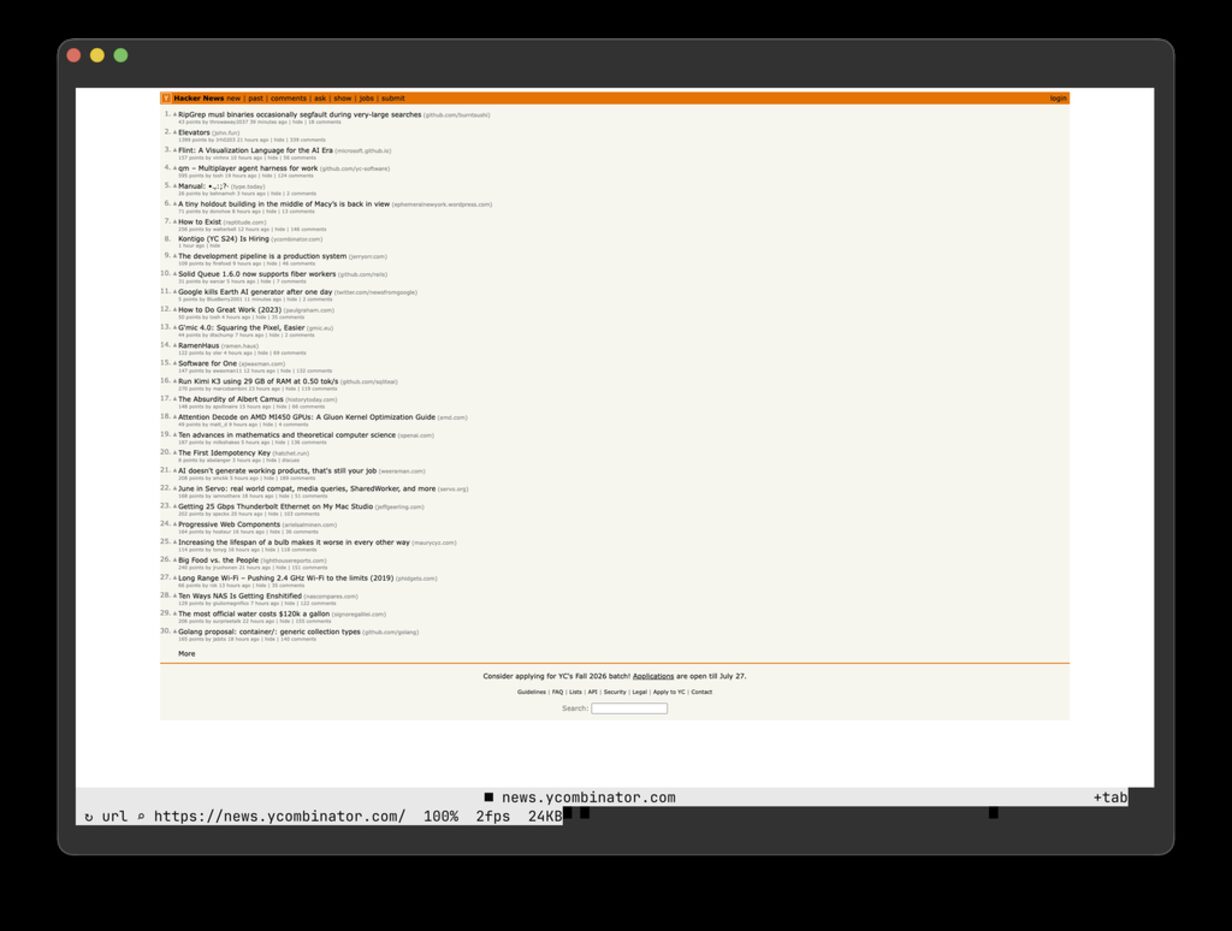
That screenshot is a Ghostty capture on macOS. The page is the page. Flexbox, webfonts, canvas, and the rest of the 2026 web survive because Chromium is drawing them. If a site needs a real engine, it gets a real engine. The terminal is the window, not the renderer.
I wrote this down in public because the other demos in this category usually hide the cost. A full-viewport repaint at 2108×1406 on the old direct path was about 7 frames a second. Encoding was not the bottleneck. Getting a huge bitmap through a PTY was. The current compositor keeps a retained RGB canvas, tiles the damage, and uses shared memory for dense local repaints when the terminal will take it. Sparse updates are small. The honest number for displayed frames per second on a busy full-viewport animation is still a release gate, not a marketing line. The status page says what is verified and what is not.
Input the other way
Pixels without input is a slideshow. Keys and clicks in the terminal are mapped back into Chromium events. You can scroll, click, type, fill a form, and log in without leaving the shell. Mouse coordinates come in as pixels when the terminal speaks SGR-Pixels, and as cells when it does not. iTerm2 reports SGR-Pixels as permanently reset, so treating those as pixels would collapse the whole page into the top-left corner. The pointer mapping has to know the difference. The e2e suite clicks a target and asserts the pixels under the cursor actually changed. A click that does not move paint is a lie.
Ctrl+q quits. Ctrl+l opens a URL. Ctrl+f finds in the page. Tabs exist, up to sixteen, with a strip that belongs to the terminal rather than to a fake browser chrome floating on top of it. MCP sessions stay single-tab and isolated from the interactive session on purpose. An agent driving a browser should not share cookies with the one I am looking at.
Why Ghostty, and what that does not mean
Ghostty on macOS is the configuration I have actually driven end to end. Kitty and WezTerm speak the same graphics protocol and should work. I have not sat in those terminals and signed that off. Apple Terminal has no graphics protocol, so interactive `open` refuses it and points you at `--headless`. Headless is the right mode for scripts, CI, and agents. It is not a secret second product. It is the same engine without a PTY to paint into.
The name is German for terminal window. I meant it literally. A terminal window that is also a browser window, not a text approximation of one. If you want the source, it is on GitHub. MIT. No signed binaries yet, no `curl | bash` release, no claim that Linux interactive rendering is as proven as the macOS Ghostty path. Experimental source alpha is the true status. I would rather write that twice than ship a download that pretends otherwise.
What this is for
I built it because switching to a browser window was the most annoying part of a day spent in a terminal. Docs, previews, a sticky admin page, a local dashboard that only exists on localhost. Those are the jobs. It is not a daily-driver replacement for a full browser until signing, memory, and terminal coverage say so. Chromium still has a memory floor. A short about:blank probe on the engine was in the hundreds of megabytes of summed RSS. That is the cost of a real engine, and I am not going to hide it behind a GIF.
If you work the way I do, the useful test is simple. Open the page you keep alt-tabbing to. If it looks like the page, and you can click it, the experiment worked. If it does not, file it against the source, not against a landing page. The landing page is here. The writing is this post. The code is the thing that has to be true.
Reply by email: zentex@warm.run